Overview
EOSpro is a UE 4.27 – 5.7.0 plugin that wraps Epic Online Services SDK 1.19.0.7 with a comprehensive Blueprint surface — 262 BP nodes across 26 categories, including voice chat (RTC), an editor-side voice debugger, an Anti-Cheat scaffold, and an OSS bridge that routes purchases through whichever store (Epic Games / Steam / Google Play / App Store) is active at runtime.
It's a direct EOS SDK wrapper, not a custom OnlineSubsystem implementation — meaning you call EOS interfaces directly from Blueprint instead of going through UE's OSS layer. (The OSS bridge for purchases is the one exception, since it needs to route across multiple stores.)
EOSpro (Runtime) + EOSproEditor (Editor) — editor-only widget for voice debugging won't ship with packaged builds.
Win64, Mac, Linux, iOS, Android. Console (PS / Xbox / Switch) require NDA SDK drops separately.
UEOSAuthSubsystem, UEOSSessionsSubsystem, etc — typed Blueprint accessors per category.
Blueprint node gallery
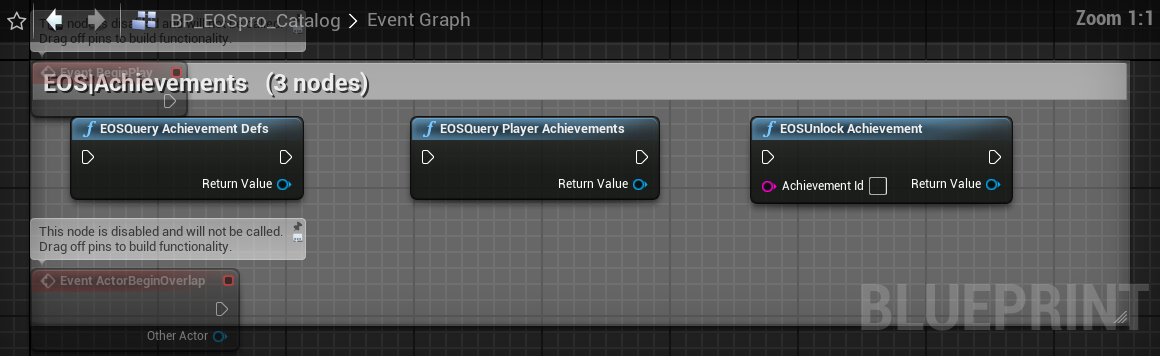
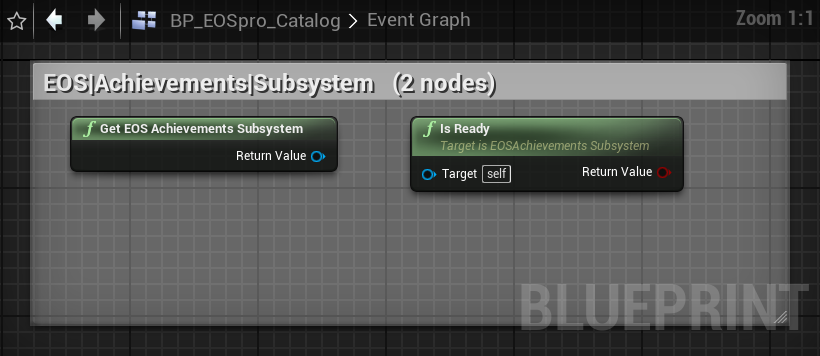
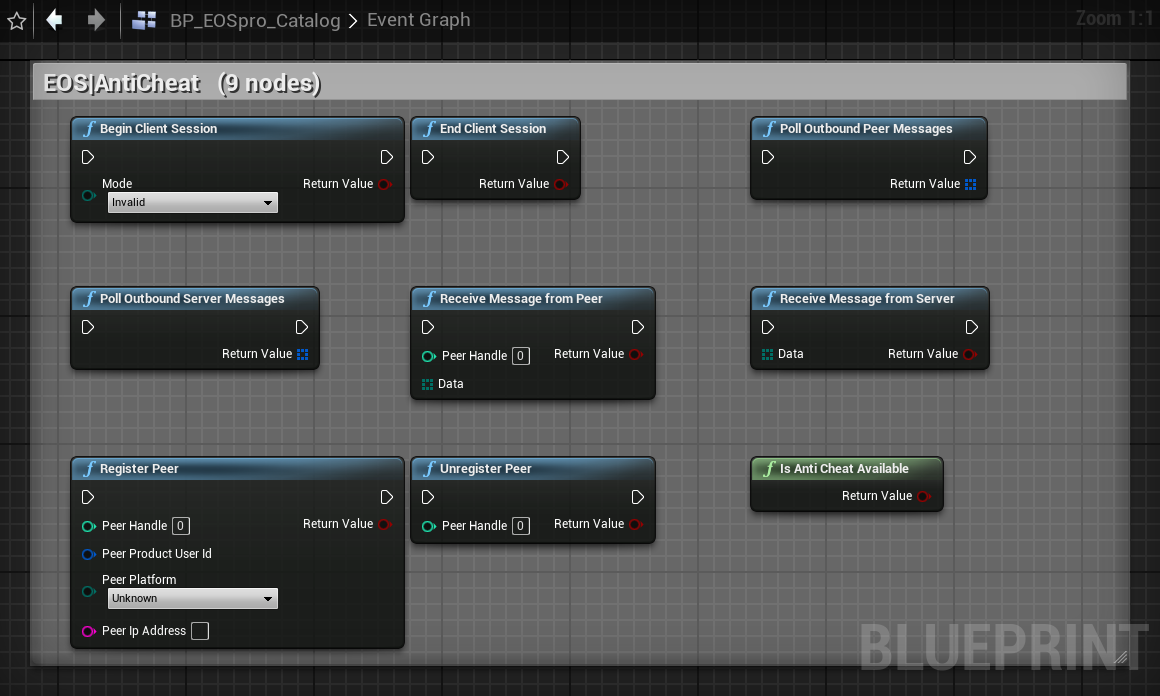
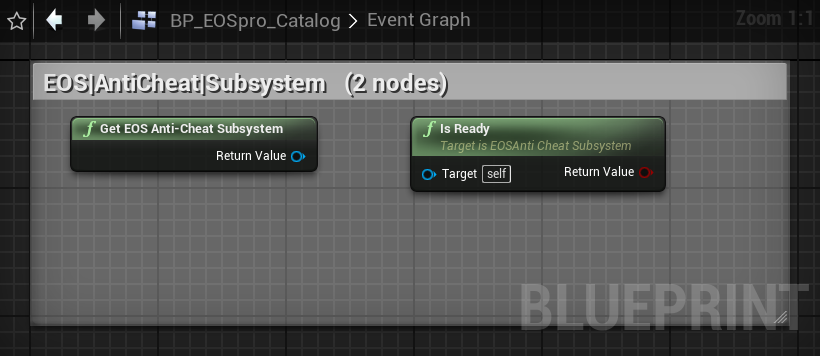
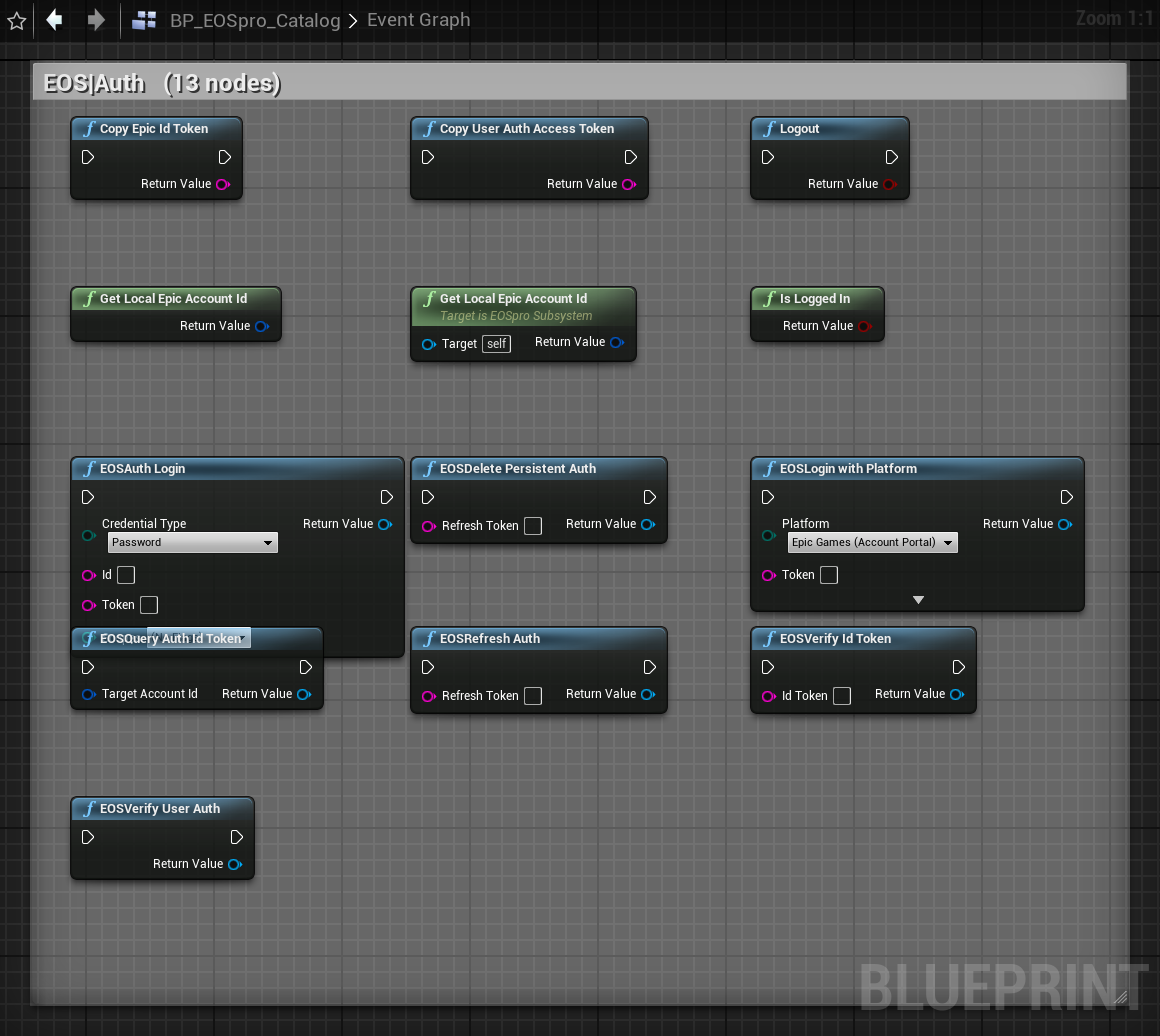
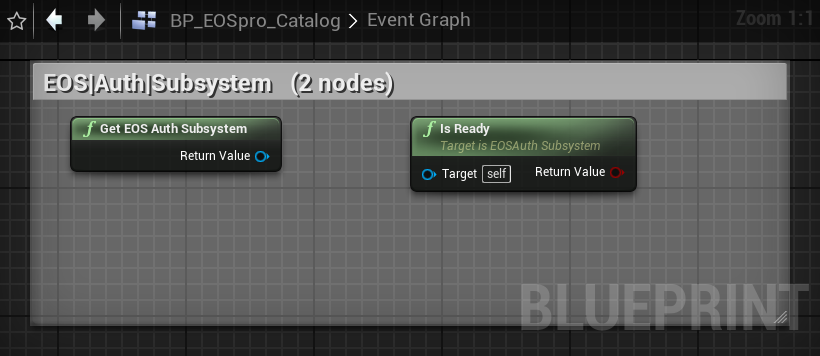
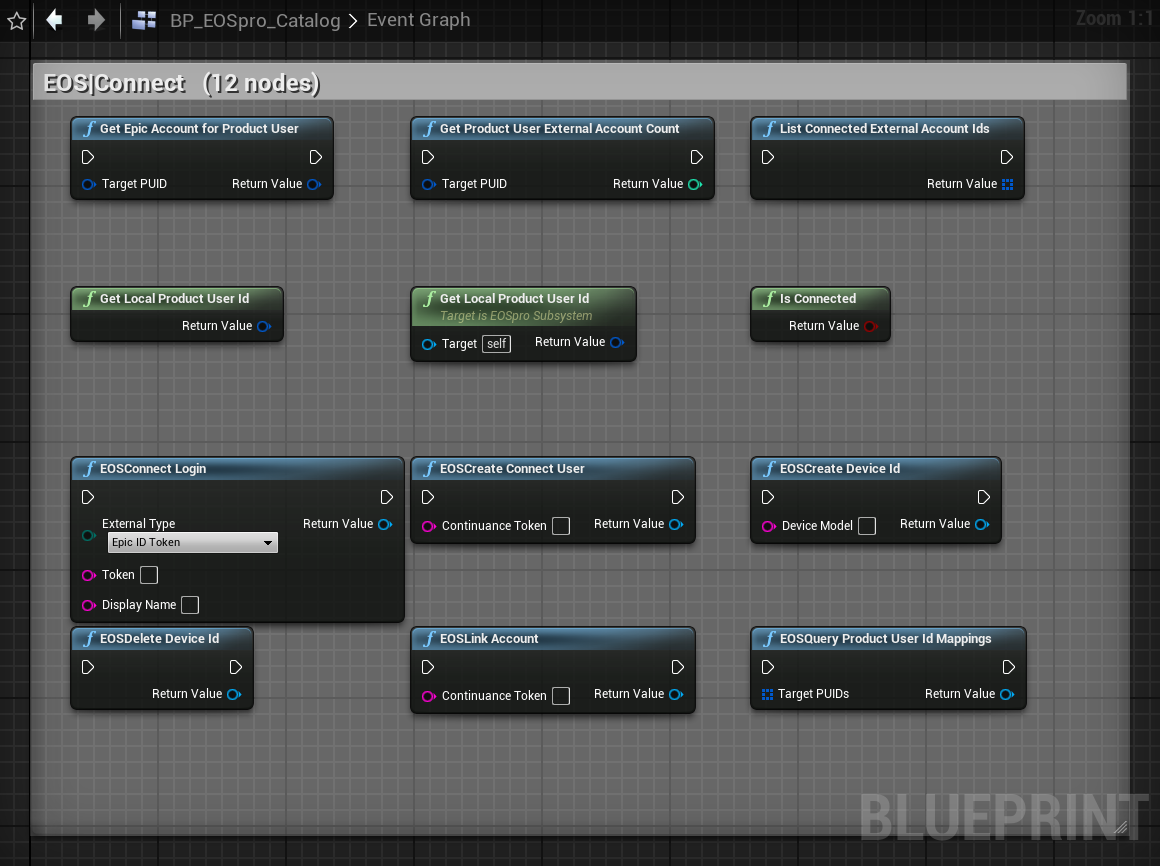
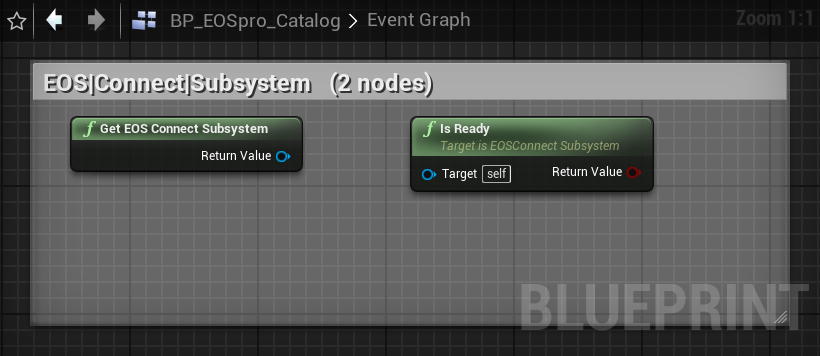
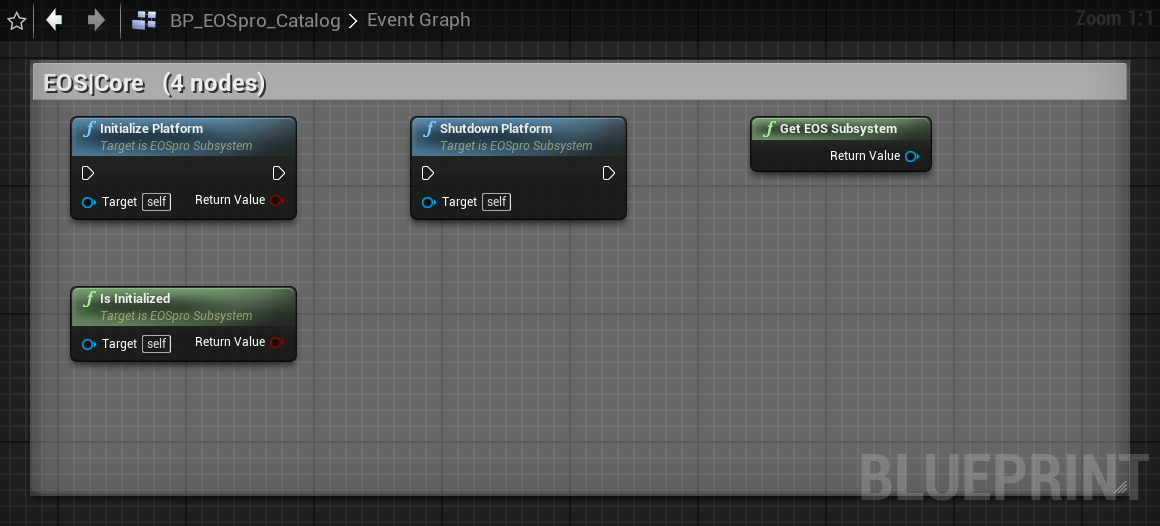
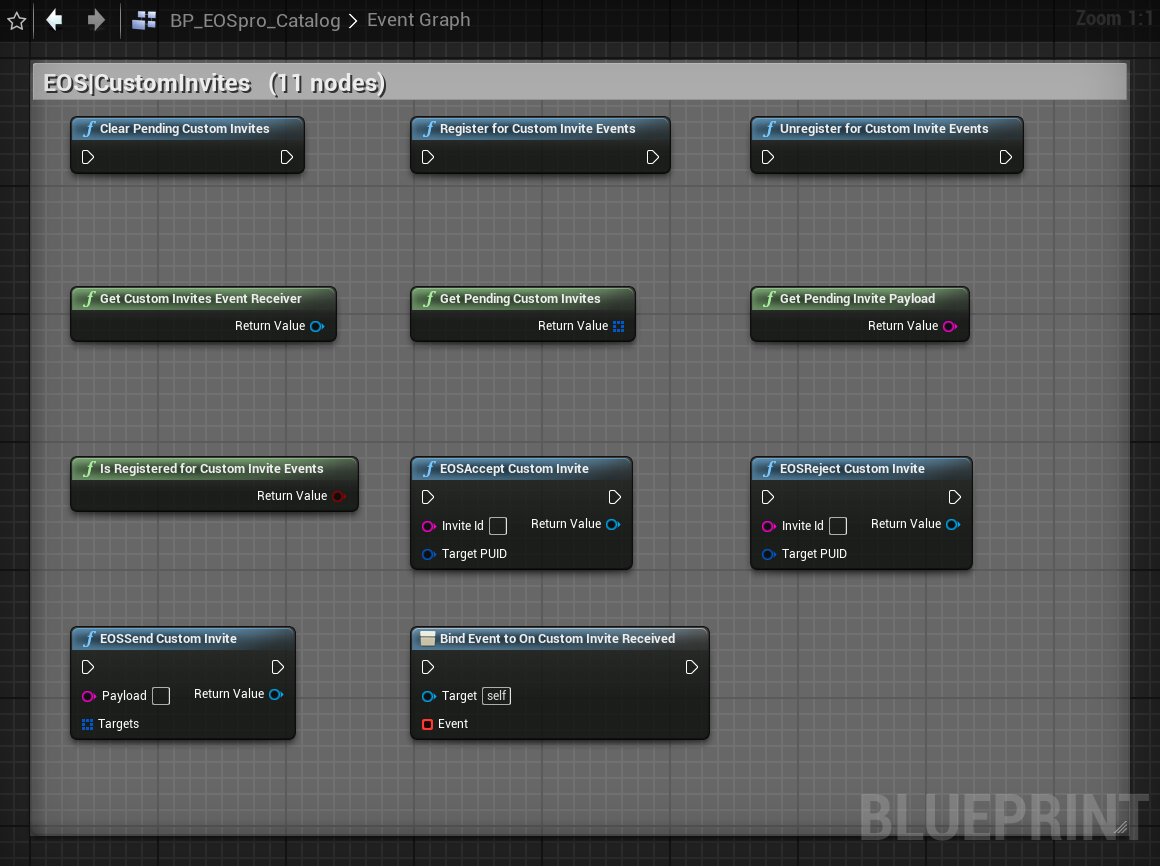
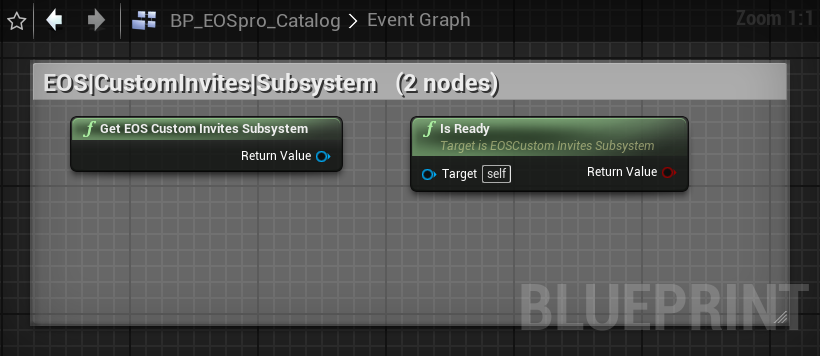
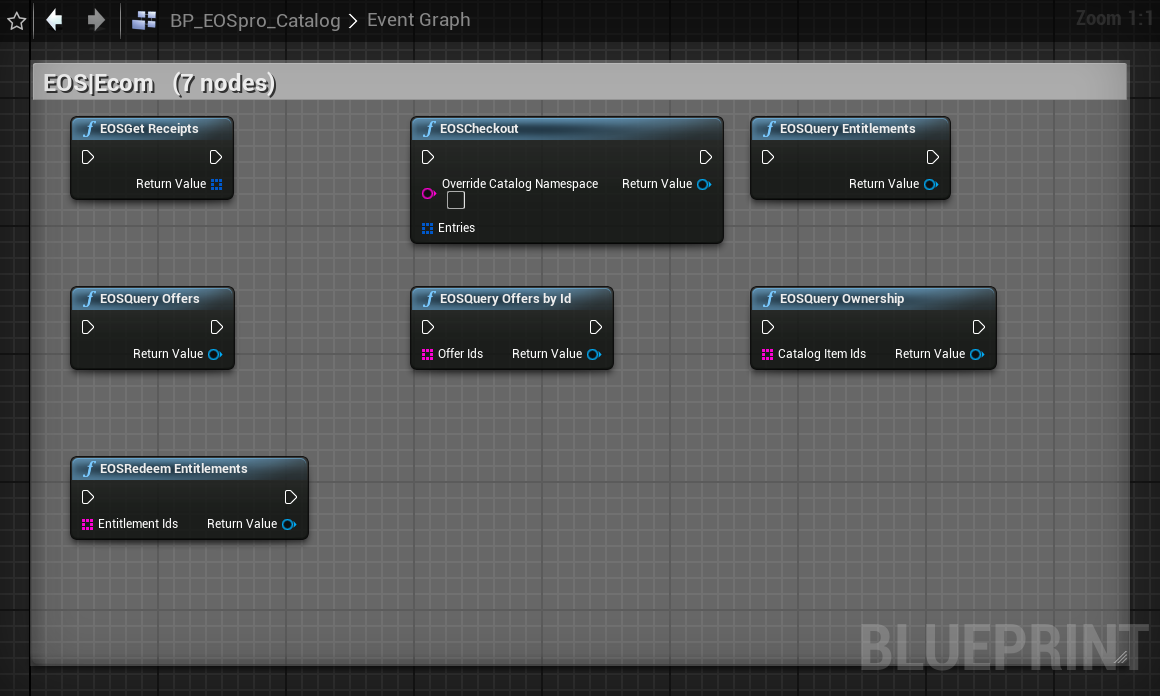
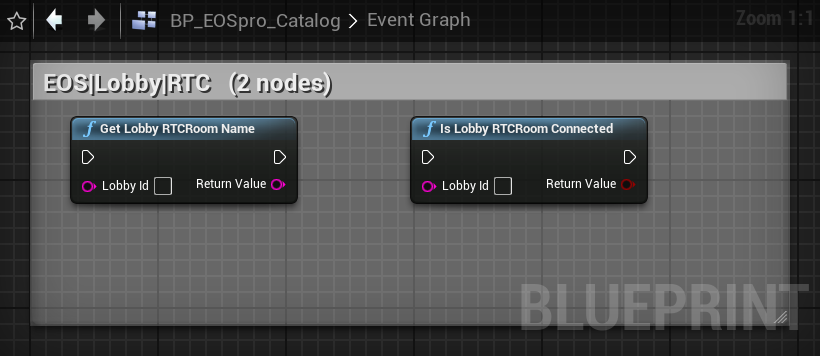
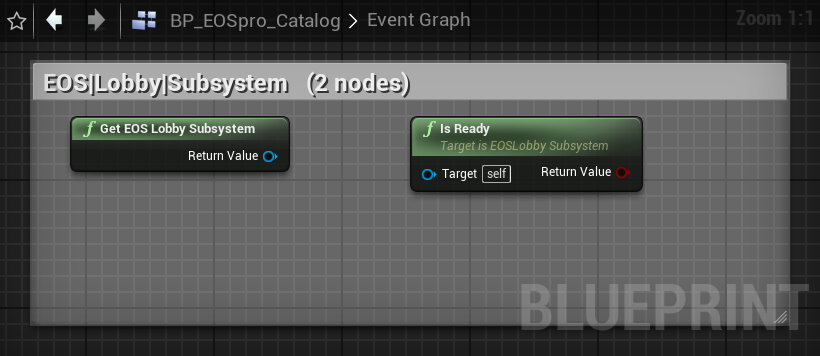
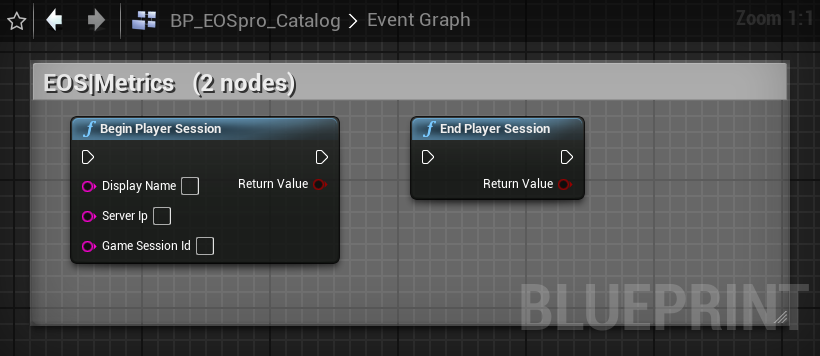
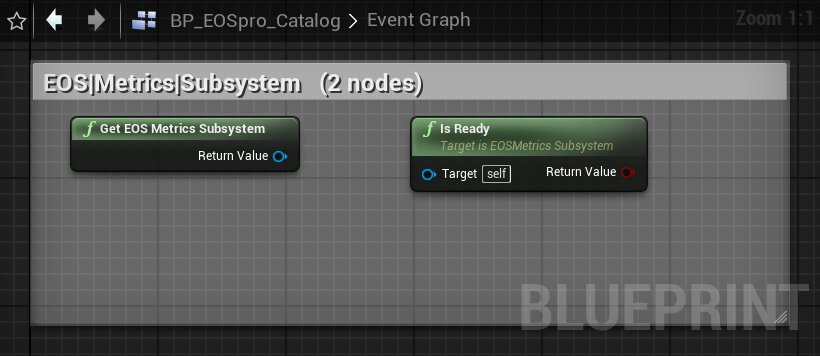
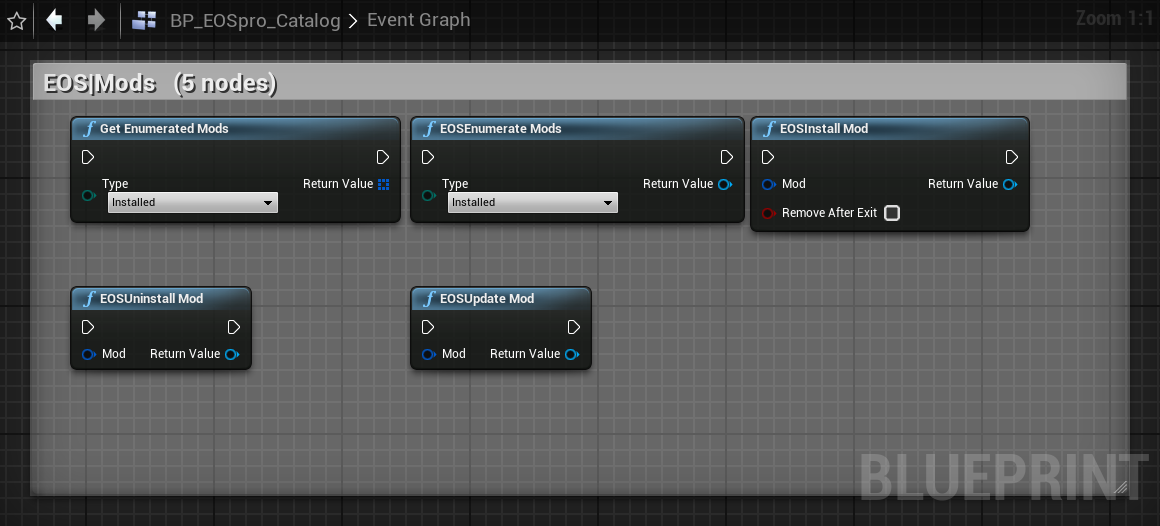
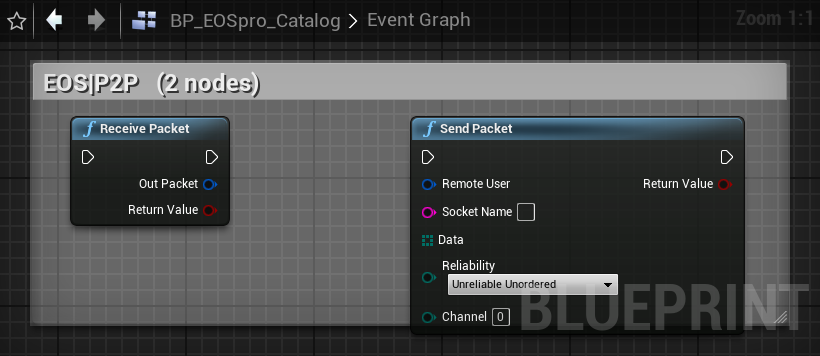
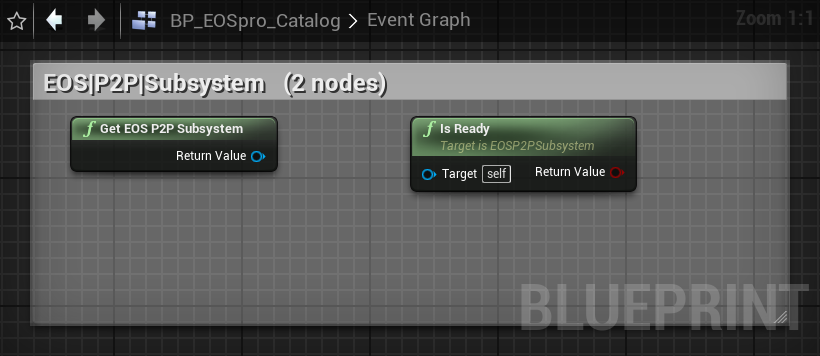
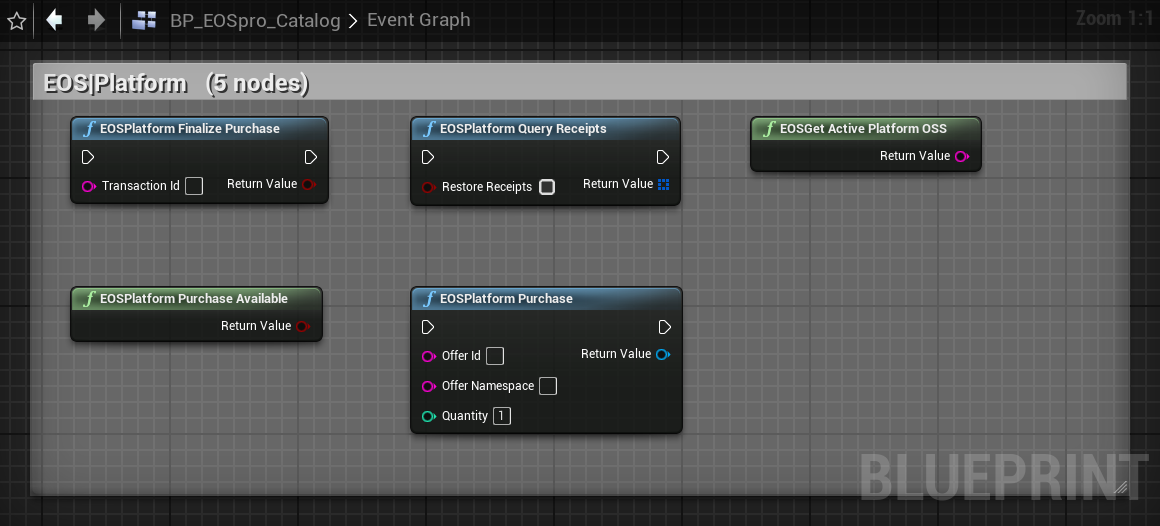
Every node EOSpro exposes, grouped by category exactly as it appears in the Blueprint editor.
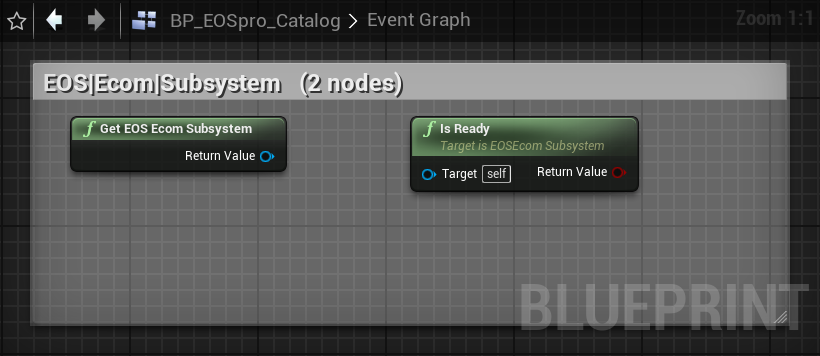
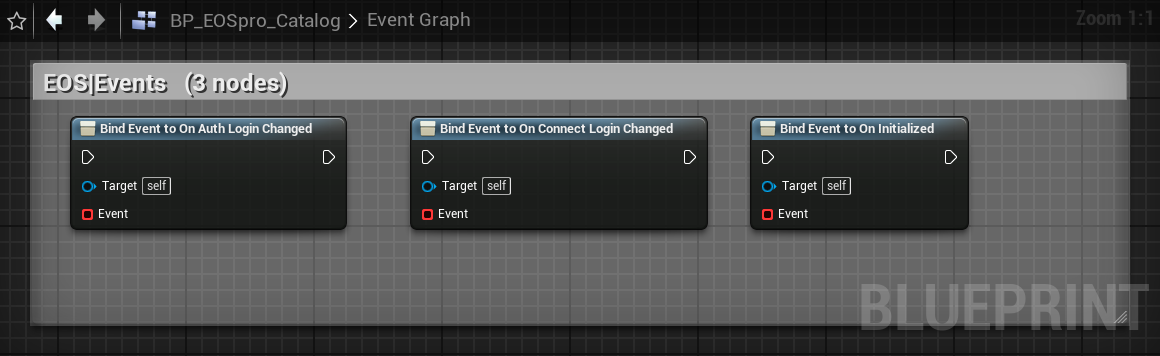
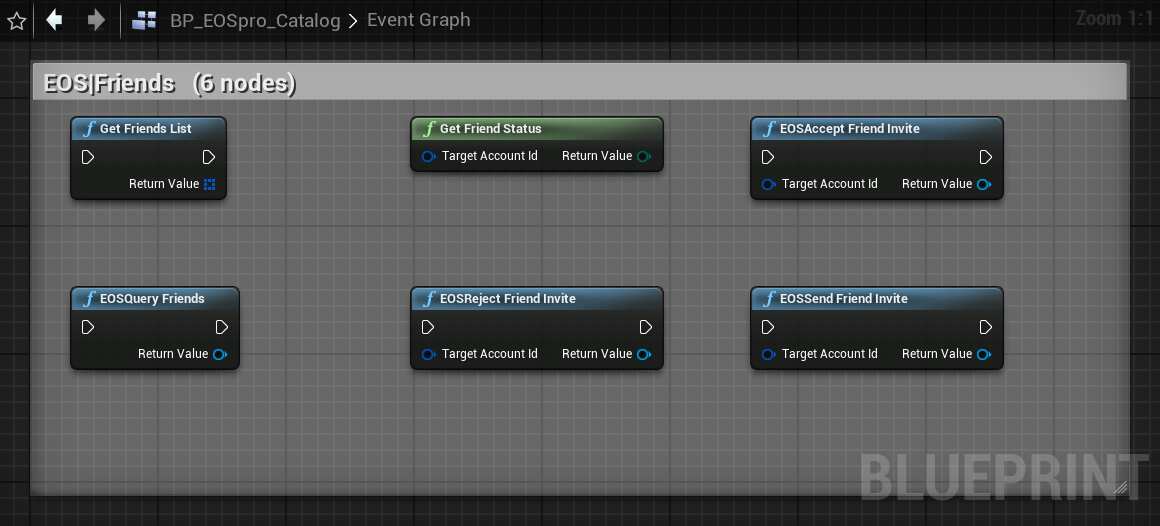
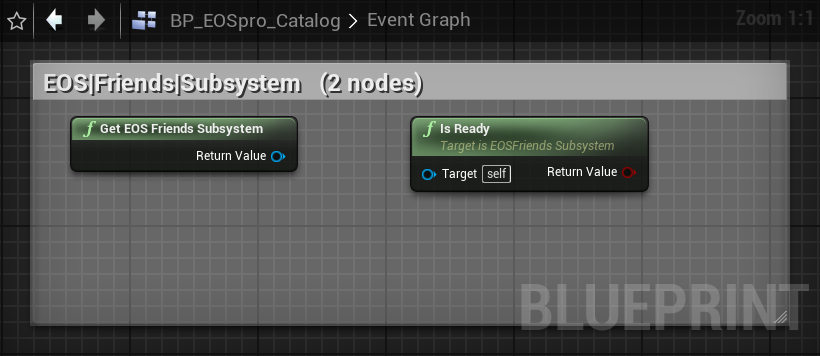
Each image is a real screenshot of the bundled BP_EOSpro_Catalog Blueprint
(in Documentation/BP_EOSpro_Catalog/). Click any thumbnail to open it full-size.
Blueprint nodes — explained
What each category does, with the screenshot of its nodes. Click any image to open it full-size.
Auth 10 nodes
Epic Games account authentication. Use EOSLoginWithPlatform for the simplified path across Epic Games / Steam / Google / Apple / Device / DevAuth, then read GetLocalEpicAccountId. Also covers logout, token refresh and ID-token verification.
Connect 10 nodes
Maps an authenticated account to a Product User ID (PUID) — the identity every other interface uses. Create connect users, link external accounts, and create device IDs for anonymous login.
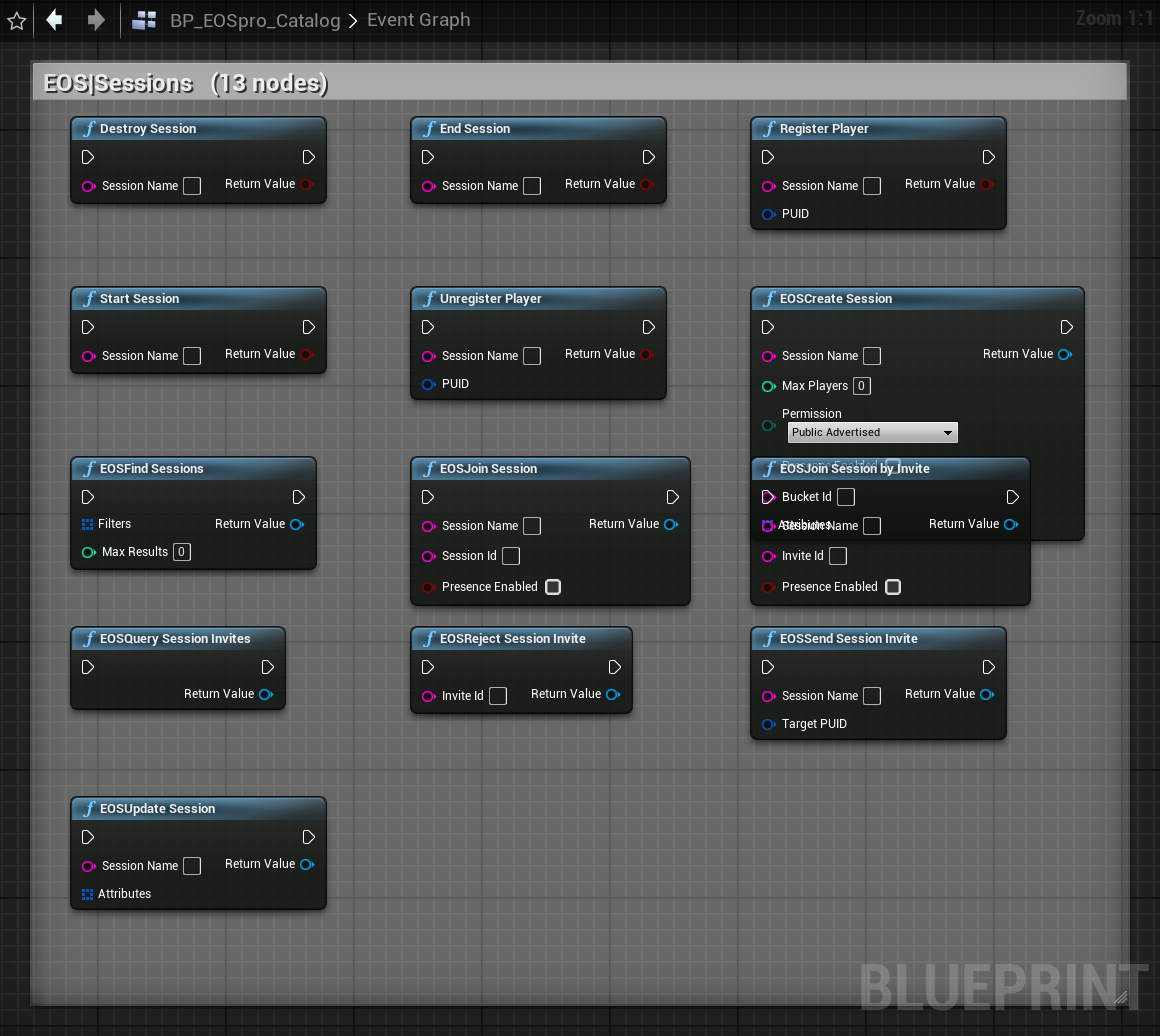
Sessions 15 nodes
Server/peer game sessions — EOSCreateSession, find by attributes, join, update, and send invites. The matchmaking surface for session-based games, plus register/unregister players.
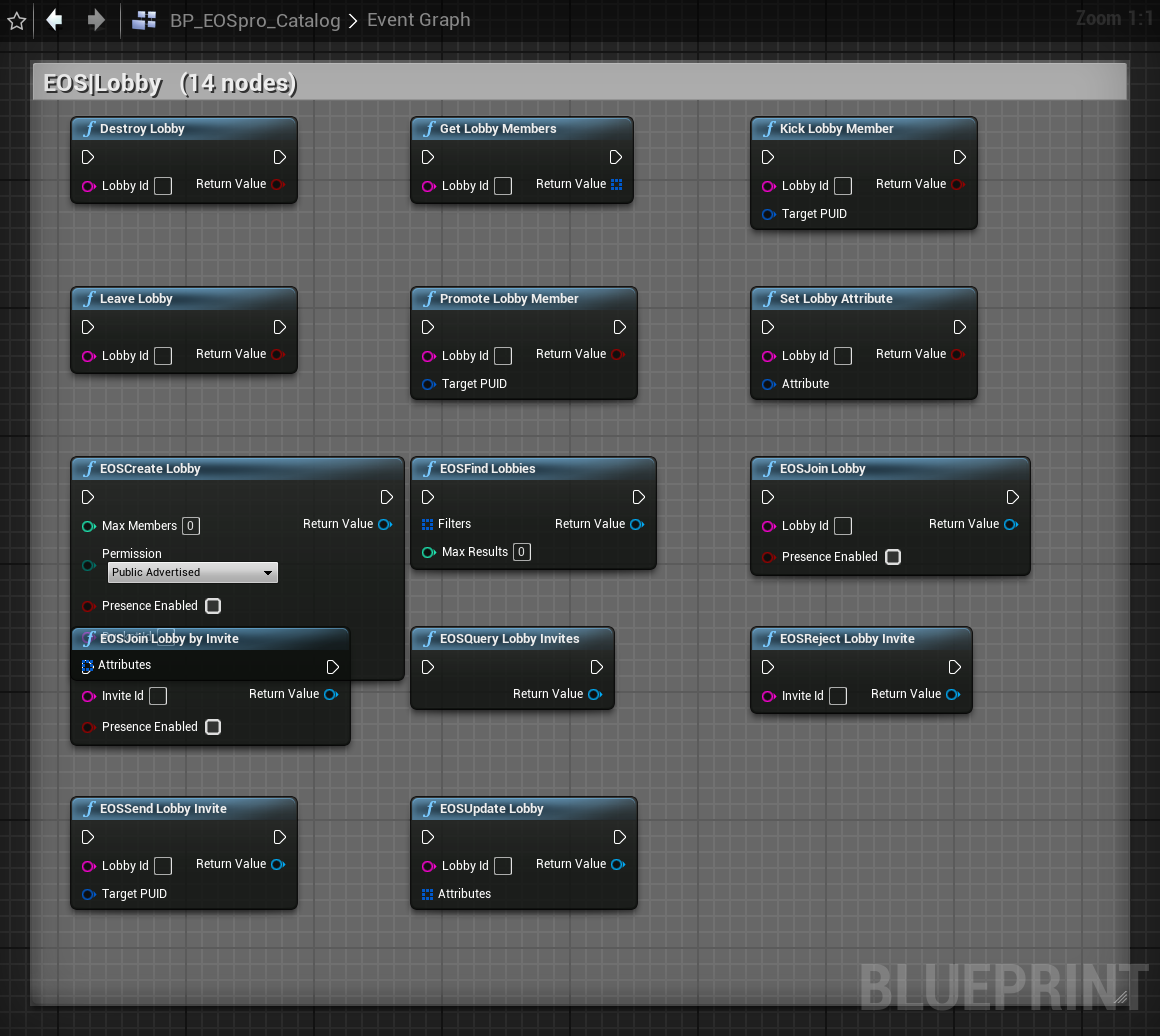
Lobby 18 nodes
Player-owned lobbies with attributes, member management and built-in RTC voice rooms. Create / find / join / update / invite, plus kick & promote members and read the lobby roster.
P2P 2 nodes
Direct peer-to-peer packets over EOS relays — SendPacket / ReceivePacket. NAT-punched transport for custom networking without a dedicated server.
Friends 10 nodes
Query the Epic friends list, send / accept / reject friend invites, and read each friend's status (online, away, in-game).
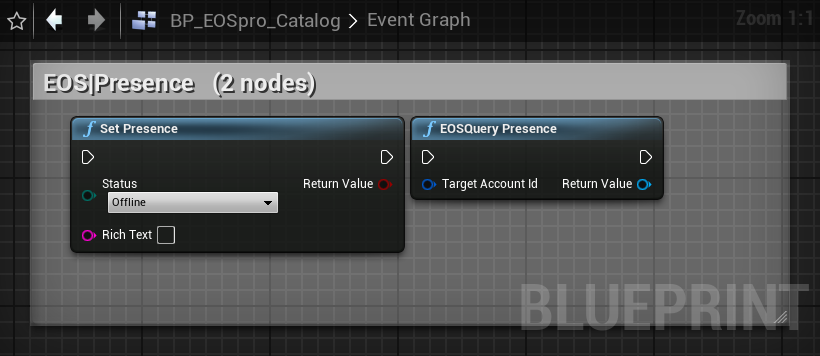
Presence 3 nodes
Set and query rich presence — status text and joinable state shown in the social overlay and to friends.
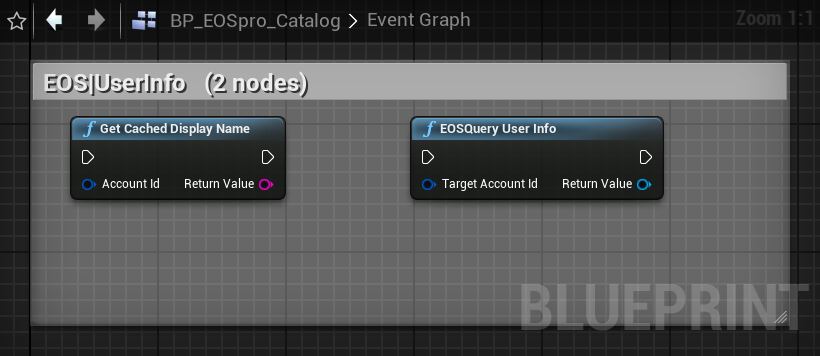
UserInfo 3 nodes
Resolve display names and external-account info for any account ID, with a cached GetCachedDisplayName for UI lookups.
Custom Invites 13 nodes
App-defined invites with your own payload — send / accept / reject, plus an event receiver with a BlueprintAssignable delegate for incoming invites.
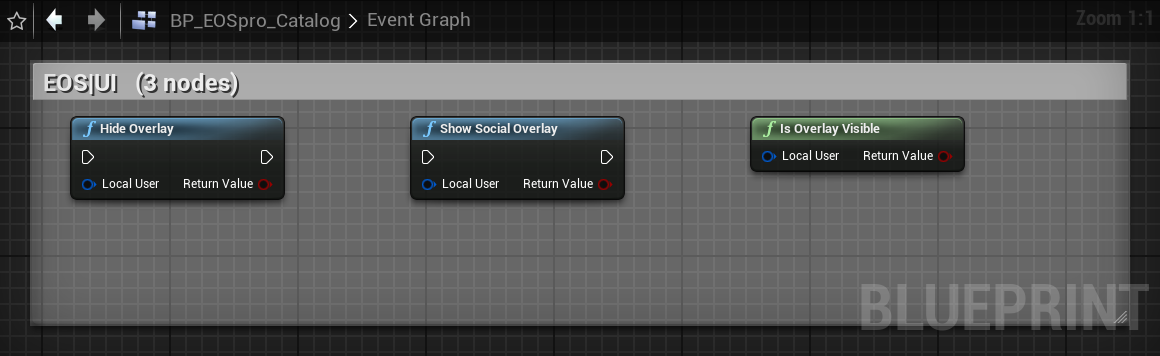
UI Overlay 3 nodes
Show / hide the EOS social overlay (friends, invites, account) and query whether it's currently visible.
Achievements 5 nodes
Unlock achievements, query achievement definitions, and read a player's unlocked progress. Driven by Stats thresholds where configured.
Stats 4 nodes
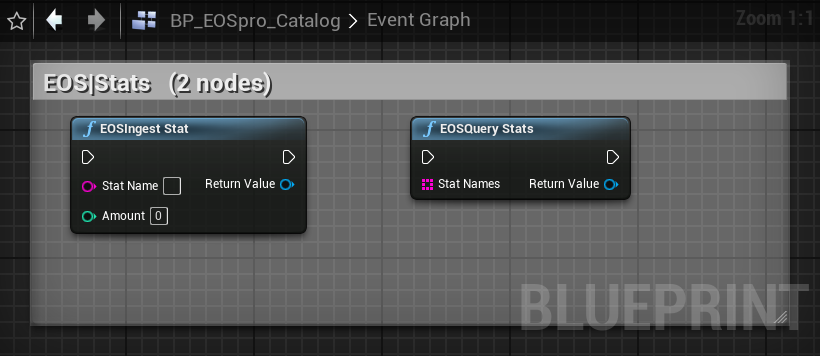
Ingest stat values and query them back — the data source behind leaderboards and stat-threshold achievements.
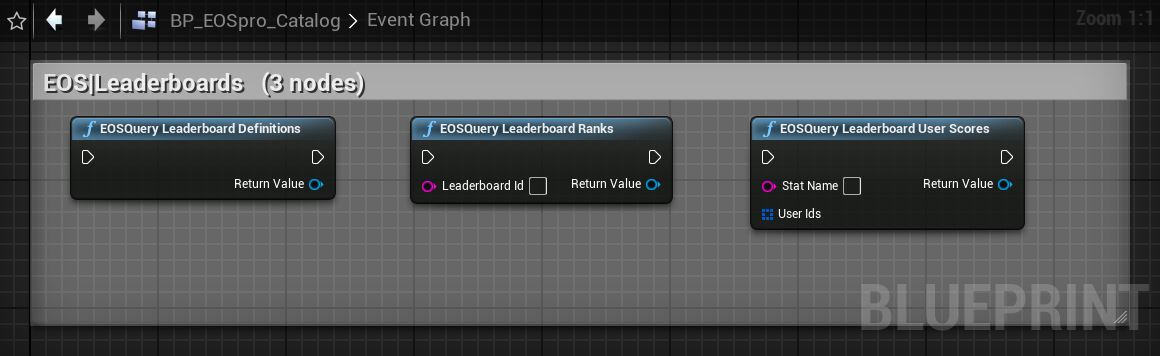
Leaderboards 6 nodes
Query leaderboard definitions, global ranks, and specific users' scores.
Ecom 13 nodes
Epic Games Store commerce — query offers (all / by-id), run EOSCheckout, verify ownership, and read entitlements & receipts.
Platform — OSS purchase bridge 6 nodes
Cross-platform purchases — EOSPlatformPurchase routes through the engine's IOnlinePurchase for whichever store (Epic / Steam / Google Play / App Store) is active at runtime. No Blueprint branching needed.
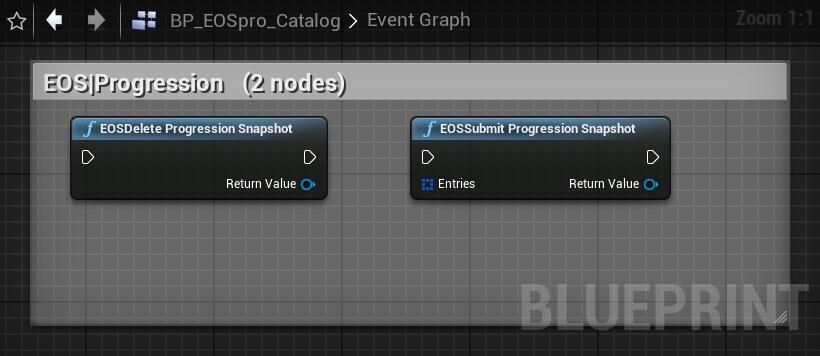
Progression Snapshot 4 nodes
Submit key/value progression snapshots of a player's progress to Epic's Progression service.
Player Data Storage 10 nodes
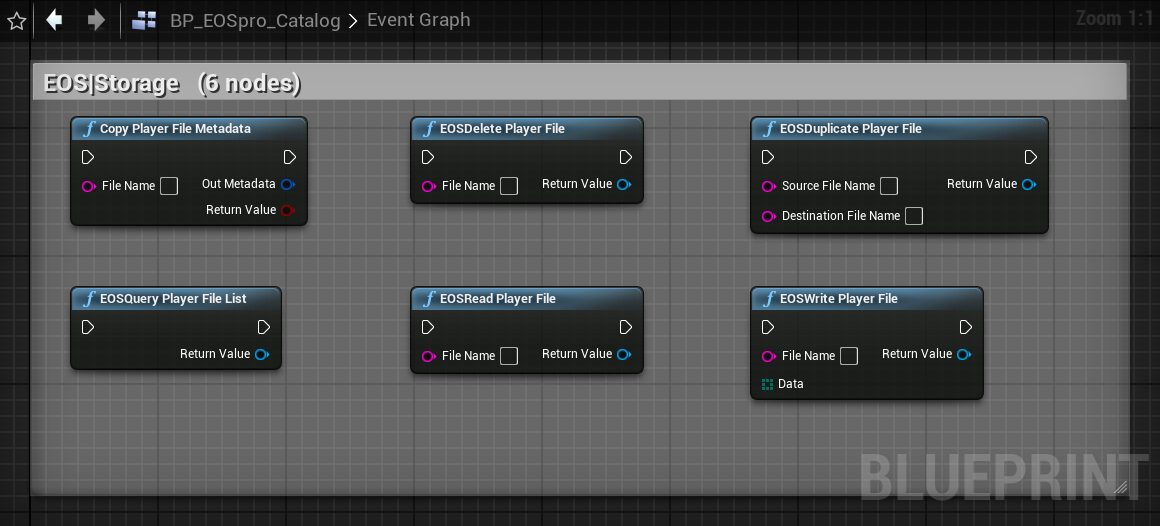
Per-player encrypted cloud saves — read / write / list / delete / duplicate player files, plus metadata copy.
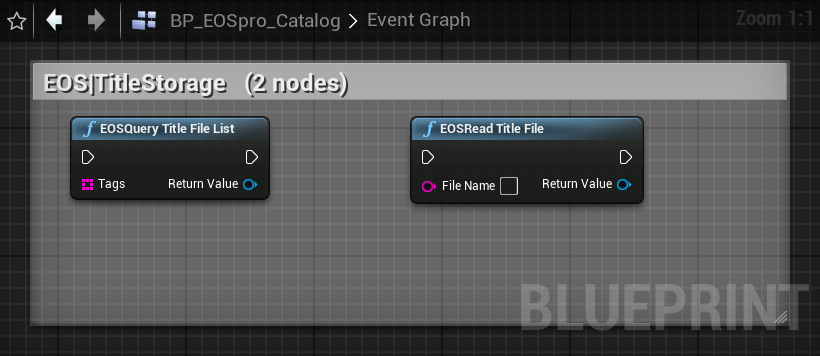
Title Storage 4 nodes
Read-only, title-wide cloud files (config, content manifests) shared by every player.
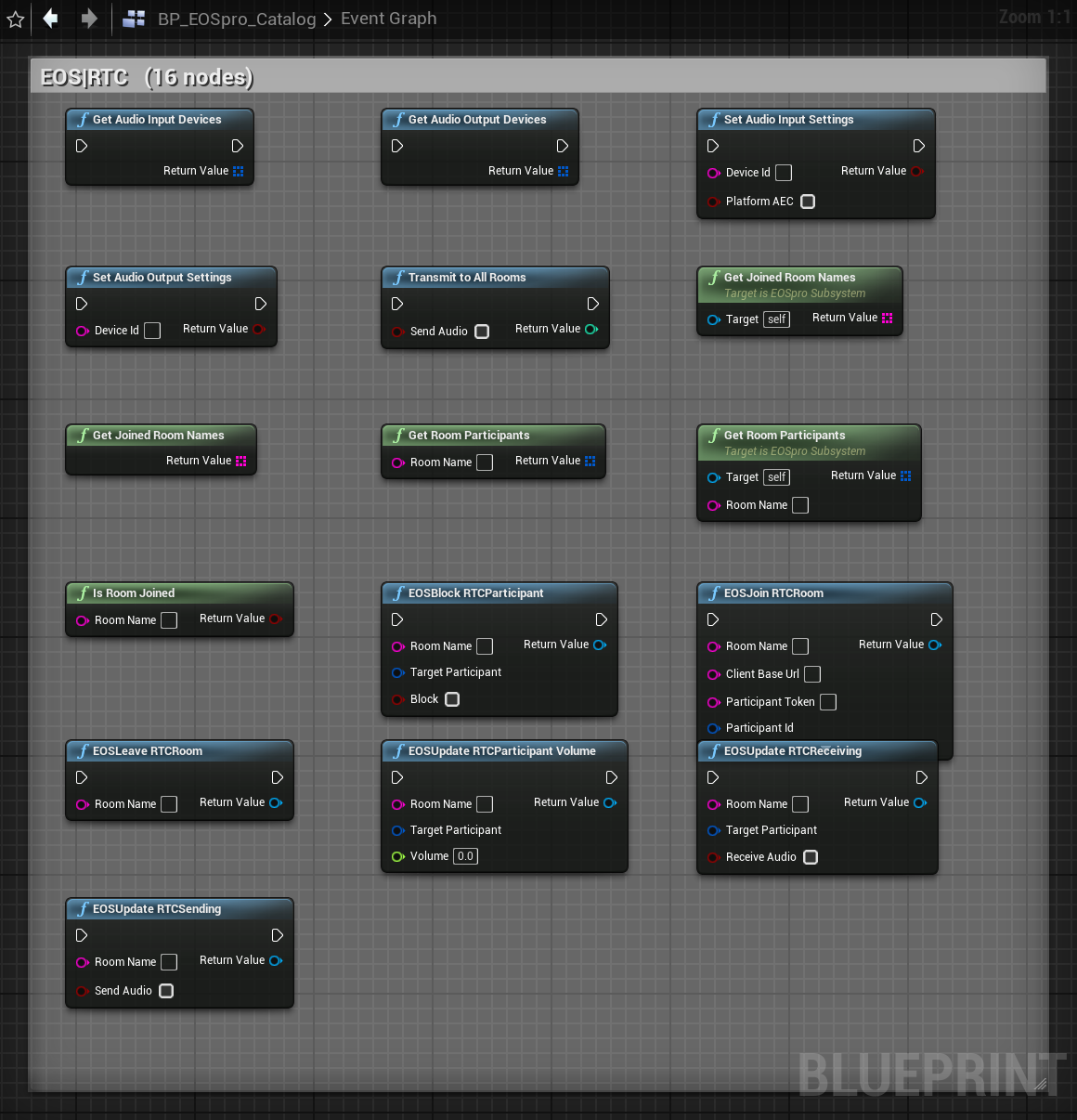
RTC voice 19 nodes
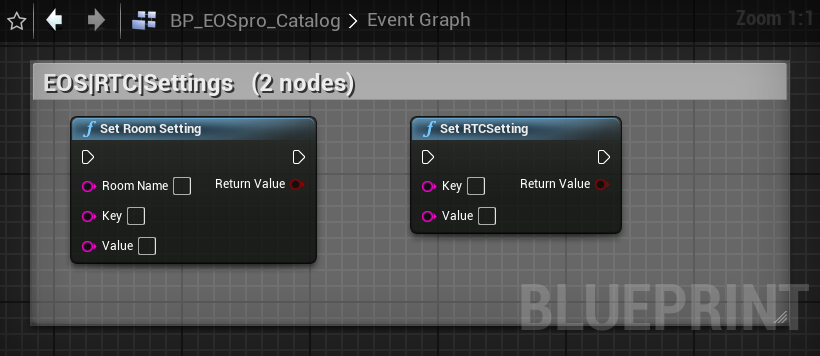
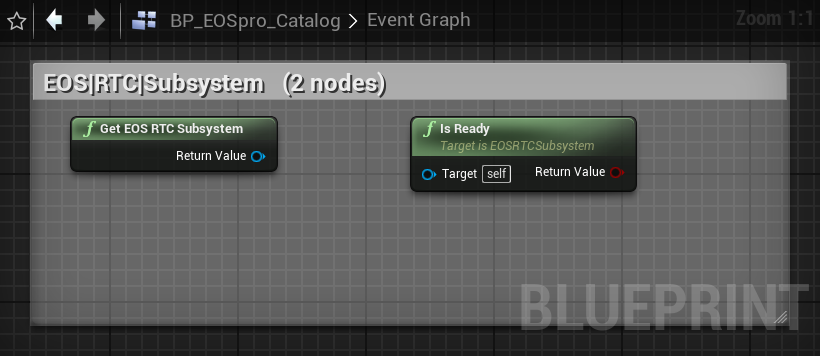
Real-time voice chat — join / leave rooms, manage input/output devices, mute, and a global push-to-talk. Lobbies can host their own RTC room automatically.
Anti-Cheat 9 nodes
Easy Anti-Cheat scaffolding — begin / end protected sessions, register peers, and bridge AC messages on both client and server.
Reports 2 nodes
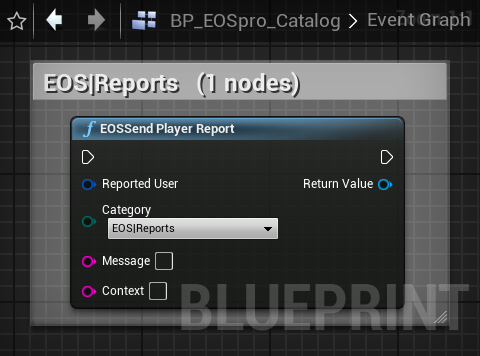
Submit player-behaviour reports (cheating, harassment, etc.) to Epic's moderation backend.
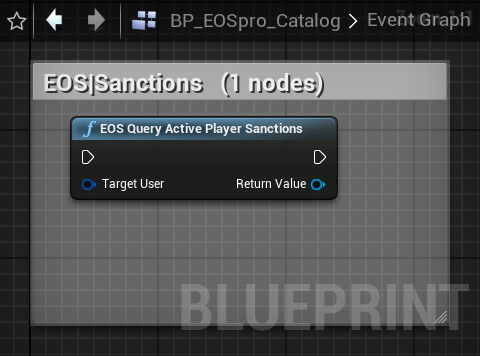
Sanctions 2 nodes
Query the active sanctions (bans, restrictions) applied to a player.
Metrics 2 nodes
Begin / end player-session metrics that feed the analytics dashboards in the Epic Developer Portal.
Mods 9 nodes
mod.io-backed mods — enumerate, install, uninstall and update mods for the title.
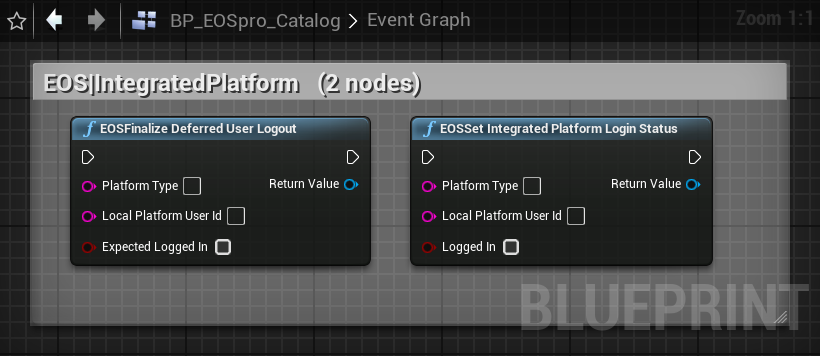
Integrated Platform 4 nodes
Report Steam / EGS login status to EOS so the overlay and friends integrate with the native platform.
Core & Subsystems 46 nodes
The central UEOSproSubsystem owns the EOS platform handle and exposes every interface accessor, plus 21 typed per-category sub-subsystems (UEOSAuthSubsystem, UEOSSessionsSubsystem, …) for clean Blueprint access.
Installation & settings
1. Enable the plugin
EOSpro is already listed in PluginCore.uproject. In a new project add:
"Plugins": [
  { "Name": "EOSpro", "Enabled": true }
]
2. Fill credentials in Project Settings
Project Settings → Plugins → EOSpro → Credentials:
| Field | Source |
|---|---|
ProductId | Epic Developer Portal → Product Settings |
SandboxId | Dev / Stage / Live sandbox for this build |
DeploymentId | Deployment for the selected sandbox |
ClientId / ClientSecret | Credential pair for this build |
EncryptionKey | 64-hex string used for PlayerDataStorage encryption |
3. (Optional) Voice Chat section
Persistent device selection saves to DefaultEngine.ini and ships with packaged builds:
DefaultMicrophoneDeviceId— empty = system defaultDefaultSpeakerDeviceId— empty = system defaultbDefaultMicMuted— start muted on JoinRoombPlatformAEC— OS-level acoustic echo cancellationRTCBackgroundMode— leave rooms vs keep alive when backgrounded
4. (Optional) Anti-Cheat section
- Download AC certificates from Epic Developer Portal → Anti-Cheat → Download integrity keys.
- Place
base_public.cerandbase_private.keyinBuild/NoRedist/(create the folder if missing). - Flip
bAntiCheatEnabled = truein settings. - Make sure network authentication is enabled in Project Settings (default in new projects).
5. Build
"C:/Program Files/Epic Games/UE_5.7/Engine/Build/BatchFiles/Build.bat" \
  PluginCoreEditor Win64 Development \
  -Project="C:/AlphaCore/ASUS/MY-Cmd/UE4-Plugin/PluginCore/PluginCore.uproject" \
-WaitMutex -FromMsBuild.cpp change, the safest path is: fully close the editor, delete Plugins/EOSpro/{Binaries,Intermediate}, rebuild, reopen.
Unified login
The simplest path. One BP node with a platform dropdown:
EOSLoginWithPlatform(Platform, Token, Id?, DisplayName?)
The Platform dropdown shows:
| Platform | What goes in Token | Notes |
|---|---|---|
| Epic Games (Account Portal) | — | Opens browser. Auth→Connect chained. |
| Steam (App Ticket) | Steamworks app ticket | Connect-only. |
| Google Play | Google id token | Connect-only. |
| Apple | Apple id token | Connect-only. |
| Discord / Nintendo / PSN / Xbox Live / OpenID / itch.io / Amazon | platform-specific access token | Connect-only. |
| Device ID (Anonymous) | — | Call EOSCreateDeviceId once first. |
| DevAuth Tool | credential name from DevAuthTool | Set Id = "127.0.0.1:6547". |
On success, UEOSproSubsystem::GetLocalEpicAccountId() and GetLocalProductUserId() are populated. The OnInitialized, OnAuthLoginChanged, and OnConnectLoginChanged multicast delegates fire.
PIE / dev testing
- Install Epic Games Launcher and sign in once.
- Unzip
Source/ThirdParty/EOSSDK/DevAuth/EOS_DevAuthTool-win32-x64-1.2.1.zipanywhere. - Run the tool, click Login, give it a credential name like
DevUser1. Default port is6547. - In PIE call
EOSLoginWithPlatform(Developer, Token="DevUser1", Id="127.0.0.1:6547"). - Press Shift+F1 in PIE — the EOS Social Overlay appears (only after successful Auth).
- For RTC: open Window → EOS Voice Chat Debugger.
Auth
Epic Games account authentication. Use EOSLoginWithPlatform for the simplified path.
Connect (Product User)
Game-side identity that bridges Epic, Steam, Google, etc. into a single Product User ID.
EOSCreateConnectUser / EOSLinkAccount need a live EOS_ContinuanceToken* which has no _FromString. C++-only *FromHandle(void*) siblings exist as workaround.
Sessions
Player-hosted matchmaking sessions (advertised via EOS service).
Lobby
Same shape as Sessions but designed for pre-game / persistent groups. Lobbies can auto-create an associated RTC voice room.
P2P
EOS-relayed peer-to-peer packets.
Friends
Presence
UserInfo
Custom Invites
Modern app-defined invite path independent of sessions / lobby.
The receiver UObject singleton exposes a BlueprintAssignable multicast delegate; bind it from any BP that needs invite-received events. Polling alternative via GetPendingCustomInvites.
EOS Overlay UI
Programmatic control over the EOS Social Overlay (the friends list / invite UI). The overlay also appears via Shift+F1 by default once authenticated.
Achievements
Stats
Leaderboards
Ecom (Epic Games Store)
Direct EOS Ecom integration — Epic Games Store only. For multi-platform purchases see the OSS bridge.
The OSS-v1 FinalizeReceiptValidationInfo call maps to EOSRedeemEntitlements — pass entitlement IDs from EOSGetReceipts.
FEOSEcomCheckoutEntry::Quantity is currently a no-op (SDK 1.19.0.7 EOS_Ecom_CheckoutEntry has no Quantity field). Submit duplicate entries for Quantity > 1.
OSS purchase bridge — cross-platform billing
EOSpro ships with a small bridge that routes purchases through the engine's IOnlinePurchase for whichever Online Subsystem is loaded.
You get Epic Games / Steam / Google Play / App Store from one BP graph without branching.
Enable per-platform engine OSS plugins
| Platform | Enable in .uproject | Plus |
|---|---|---|
| Win64 EGS | OnlineSubsystemEOS (auto via EOSpro) | — |
| Steam | OnlineSubsystemSteam | SteamDevAppId in DefaultEngine.ini |
| Google Play | OnlineSubsystemGooglePlay | Play Console product IDs |
| iOS App Store | OnlineSubsystemIOS | App Store Connect IAP setup |
EOSPlatformFinalizePurchase(TransactionId) within 3 days or the purchase is automatically refunded.
Progression Snapshot
Server-side snapshot of arbitrary progression key/value pairs. Used for analytics / cross-save bridging.
Player Data Storage
Per-player cloud-saved files. Encrypted with the EncryptionKey in settings.
Title Storage
Read-only server-published files (game assets, remote configs).
RTC — Voice chat
Full Epic RTC interface exposure: join voice rooms, mute self/others, switch devices, get the participant list with talking indicators.
Push-to-talk
Wire TransmitToAllRooms(true) to a key-press event and TransmitToAllRooms(false) to release. The same call applies across every joined room.
Audio processing knobs
Set these before JoinRoom for them to take effect:
SetRTCSetting("DisableEchoCancelation",  "false")  // = AEC on
SetRTCSetting("DisableNoiseSuppression", "false")  // = NS on
SetRTCSetting("DisableAutoGainControl",  "false")  // = AGC on
SetRTCSetting("DisableDtx",              "false")  // = DTX on (saves bandwidth)
Joining a lobby's auto-voice room
1. EOSCreateLobby(bEnableRTCRoom = true)
2. const FString Room = GetLobbyRTCRoomName(LobbyId)
3. Use Room with GetRoomParticipants / SendSessionInvite / etc.ParticipantToken minted by your backend via the EOS REST API — the client SDK cannot mint it itself. Lobby auto-rooms don't need this (they're joined transparently when you join the lobby).
Voice debugger (editor)
The EOSproEditor module registers a Slate widget that lives in the editor only (not shipped):
Open via:
- Window → EOS Voice Chat Debugger menu entry
- Console command
EOSpro.ShowVoiceDebugger(works in PIE too)
Shows live state: current room selector, joined-room participant list (with talking indicators, mute/block buttons per row), local mic-mute toggle, input/output device combo boxes. Polls subsystem state every 0.5s via an active timer.
Anti-Cheat scaffold
EAC client-side wiring. Scaffold means the message bridge and session lifecycle are exposed; you still need to plumb the outbound messages through your game's network channel.
Flow (Client-Server mode)
EOSConnectLoginsucceeds → local PUID available.BeginClientSession(ClientServer).- Each tick: drain
PollOutboundServerMessages→ forward bytes over your normal server transport. - When your server sends AC bytes back to the client → call
ReceiveMessageFromServer(bytes). - On disconnect:
EndClientSession.
P2P mode also requires RegisterPeer per remote player + symmetric peer-message bridging.
Reports
Player behavior reports (moderation).
Category mapping (BP enum is broader than SDK enum): Harassment / HateSpeech / Profanity → VerbalAbuse, NameViolation → OffensiveProfile, ChildAbuse → Other.
Sanctions
Metrics
Mods
Desktop game-mod manager (Epic Mod Marketplace).
Integrated Platform
Notify EOS about the player's login state on the integrated platform (Steam, EGS, etc).
Per-category subsystems
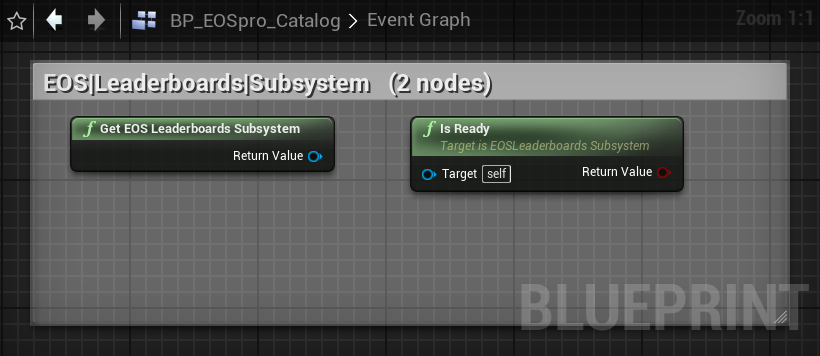
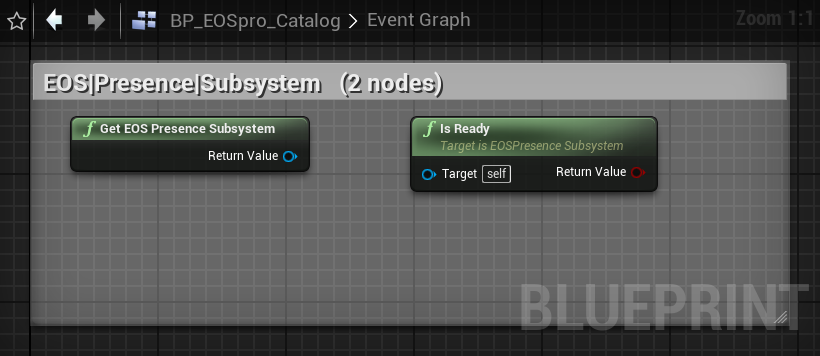
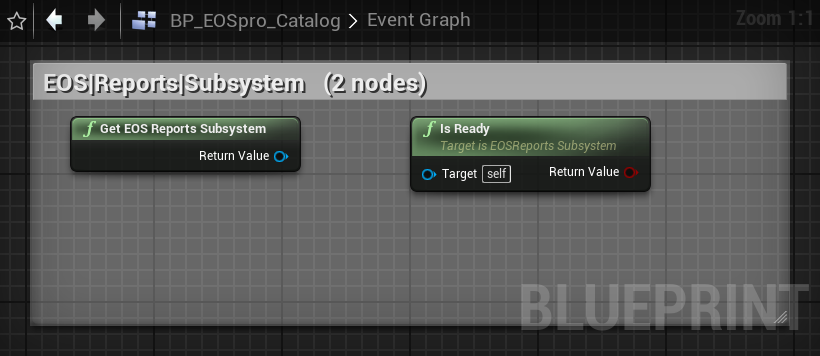
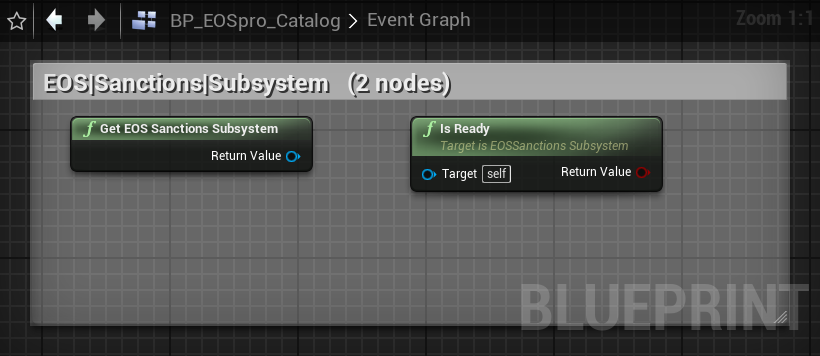
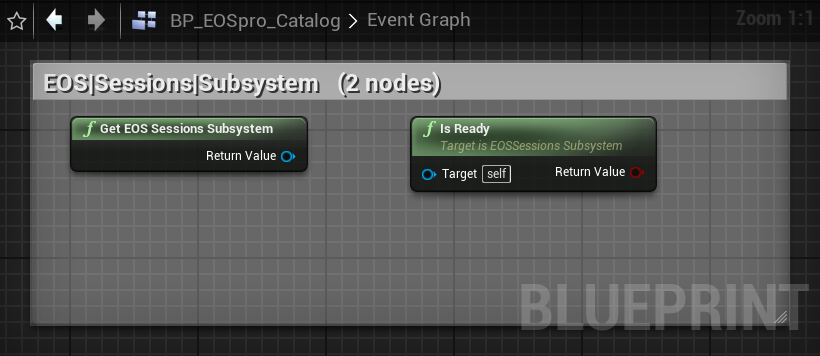
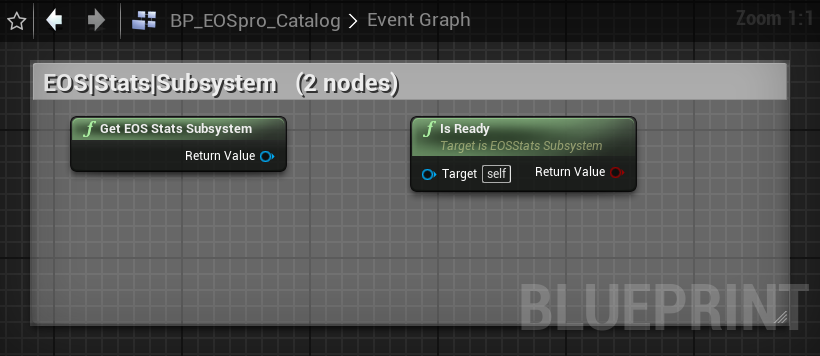
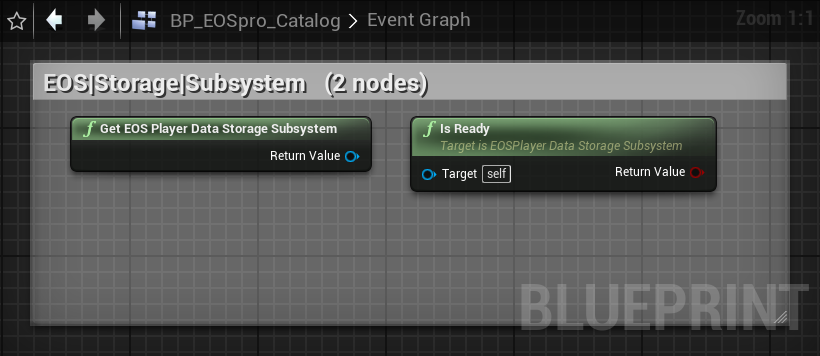
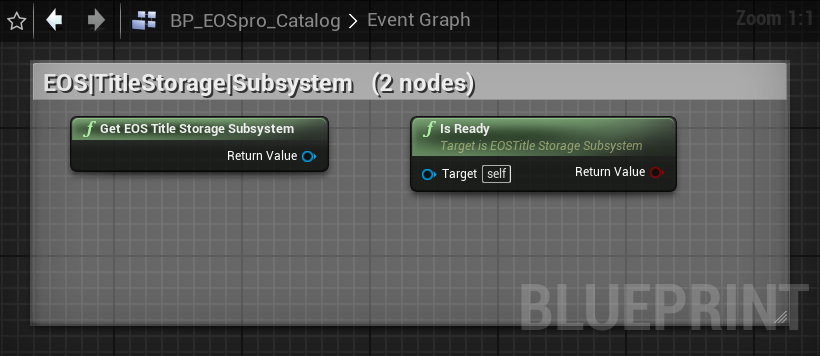
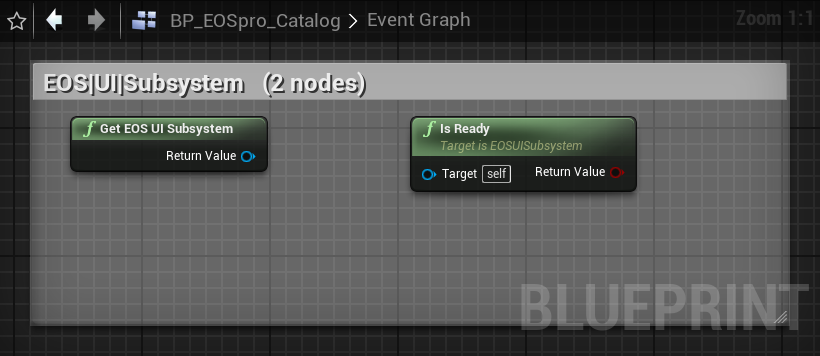
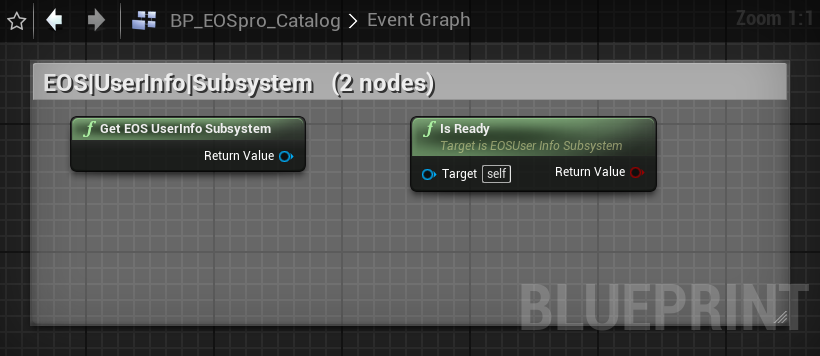
21 thin UGameInstanceSubsystem proxies — typed Blueprint accessors per domain. Each exposes:
Get(WorldContextObject)— static, returns the subsystemIsReady()— pure, true if the underlying EOS interface handle is available
The proxies delegate to UEOSproSubsystem which owns the platform handle. They exist for BP discoverability — "search 'Get EOS Sessions Subsystem'" surfaces the right subsystem cleanly.
UEOSAuthSubsystem, UEOSConnectSubsystem, UEOSFriendsSubsystem,
UEOSPresenceSubsystem, UEOSSessionsSubsystem, UEOSLobbySubsystem,
UEOSUserInfoSubsystem, UEOSAchievementsSubsystem, UEOSStatsSubsystem,
UEOSLeaderboardsSubsystem, UEOSP2PSubsystem, UEOSEcomSubsystem,
UEOSPlayerDataStorageSubsystem, UEOSTitleStorageSubsystem,
UEOSUISubsystem, UEOSMetricsSubsystem, UEOSCustomInvitesSubsystem,
UEOSReportsSubsystem, UEOSSanctionsSubsystem, UEOSRTCSubsystem,
UEOSAntiCheatSubsystem
FAQ
LogEOSpro errors. For PIE specifically the easiest auth flow is DevAuthTool — run the tool, log in, pick a credential name, then use EOSLoginWithPlatform(Developer, Token="YourName", Id="127.0.0.1:6547").
bEnableEcho = true to EOSJoinRTCRoom — the EOS server echoes your audio back so you can validate the round trip with a single client.OnlineSubsystemSteam in .uproject AND set [OnlineSubsystem] DefaultPlatformService=Steam + SteamDevAppId=... in DefaultEngine.ini. Then EOSGetActivePlatformOSS() should return "STEAM".
base_public.cer is at the path specified in AntiCheatCertPath (default Build/NoRedist/base_public.cer), (b) network authentication is enabled in Project Settings, (c) EOSConnectLogin succeeded before you called BeginClientSession, and (d) you activated an EAC build in the EOS portal.
EOSCreateConnectUser / EOSLinkAccount nodes take a token string, but EOS continuance tokens are opaque pointers with no _FromString API. Workaround: call the C++-only *FromHandle(void*) siblings from a custom function bound to UEOSConnectLoginAsync::OnContinuanceRequired in C++.
EOS_Ecom_CheckoutEntry struct only has OfferId — there's no Quantity field. The BP struct exposes Quantity for forward compatibility, but for now submit duplicate entries to buy multiples.
UnrealEditor.exe is gone from Task Manager), (2) delete Plugins/EOSpro/{Binaries,Intermediate}, (3) run Build.bat PluginCoreEditor Win64 Development -Project=..., (4) reopen the project.
bLegacyPublicIncludePaths = true so unqualified #include "EOSproTypes.h" still resolves no matter which subfolder the including file lives in.
Troubleshooting
Build errors
- "Cannot open include file: 'EOSproTypes.h'" — your Build.cs is missing
bLegacyPublicIncludePaths = true. Dependent modules need this too. - Duplicate function definition under unity build — two .cpp files have the same file-scope
statichelper (typical:AccountIdToString). Rename one with a file-unique prefix. - "Target is up to date" but no DLL produced — check that
EOSprois"Enabled": truein your.uproject.
Runtime issues
- EOS Overlay (Shift+F1) doesn't appear — requires successful Auth login. Check
UEOSproSettings.bEnableOverlayis true. Renderer must be D3D11/D3D12 (engine default). - RTC initialization fails on Windows —
xaudio2_9redist.dllnot at the path passed inEOS_Windows_RTCOptions.XAudio29DllPath. The subsystem resolves this viaIPluginManager::FindPlugin("EOSpro")->GetBaseDir() + "/Binaries/Win64/xaudio2_9redist.dll". Verify the DLL was staged. - SetAudioInputSettings returns failure — requires a valid Connect-logged-in PUID. Make sure
EOSConnectLogincompleted first; the subsystem applies persisted device settings inSetLocalProductUserId.
SDK version quirks (1.19.0.7)
EOS_SAT_STRINGdoesn't exist as an enum value — useEOS_AT_STRING(uppercase) or the macro aliasEOS_SAT_String(CamelCase).EOS_ECustomInviteFinalizeResultenum doesn't exist — useEOS_EResult::EOS_Successfor accept,EOS_Canceledfor reject.EOS_ACCCP_iOShas a lowercase 'i' (most other platform enum values are uppercase).EOS_Auth_VerifyIdTokenCallbackInfohas no AccountId field — decode the JWTsubclaim client-side if you need it.EOS_PlayerDataStorage_GetFileMetadataCountreturnsEOS_EResultwith out-param count;EOS_TitleStorage_GetFileMetadataCountreturnsuint32_tdirectly.
Source layout
Source/EOSpro/
├── EOSpro.Build.cs         (bLegacyPublicIncludePaths = true)
├── Public/
│   ├── Core/                Module, Settings, Subsystem, Types
│   ├── Auth/                AuthLibrary + AuthSubsystem + LoginWithPlatform + …
│   ├── Connect/             ConnectLibrary + DeviceId / Mappings / etc.
│   ├── Sessions/            SessionsLibrary + Find/Join/Update/Invite
│   ├── Lobby/               LobbyLibrary + same shape + RTC-room helpers
│   ├── Friends/ Presence/ UserInfo/
│   ├── Achievements/ Stats/ Leaderboards/
│   ├── Ecom/                Offers, Checkout, Ownership, Receipts
│   ├── Storage/ TitleStorage/
│   ├── P2P/ UI/ Metrics/
│   ├── CustomInvites/ Reports/ Sanctions/
│   ├── RTC/                 EOSRTCLibrary.h holds all 7 voice async classes
│   ├── AntiCheat/
│   ├── Mods/ IntegratedPlatform/ Progression/
│   └── Platform/            OSS bridge for cross-platform purchases
└── Private/                 (mirrors Public)

Source/EOSproEditor/
├── EOSproEditor.Build.cs
├── Public/
│   ├── EOSproEditor.h
│   └── SEOSVoiceChatDebugger.h
└── Private/
    ├── EOSproEditor.cpp    Module + Window menu + console command
    └── SEOSVoiceChatDebugger.cpp